Product fit
Which scheduling, project, docket, reporting, laboratory, calculation, client, equipment and workforce workflows are available today?

What the current product supports, how a staged rollout works, what to bring to a demo and where GeoCRM deliberately avoids making claims it cannot yet prove.
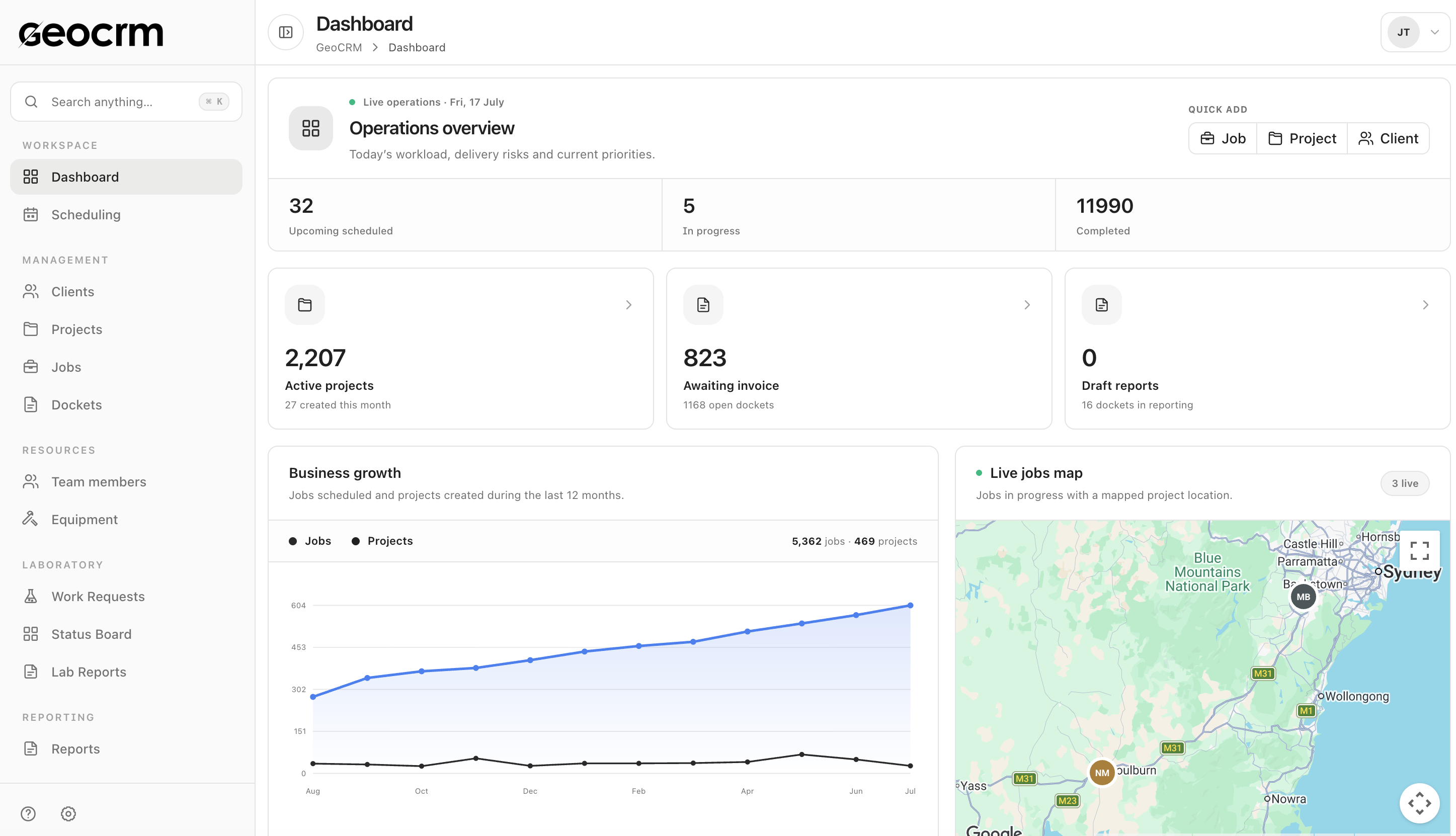
Which scheduling, project, docket, reporting, laboratory, calculation, client, equipment and workforce workflows are available today?
Which single workflow creates enough pressure to justify a pilot, and what information and ownership must be preserved?
Which people and modules are required, what implementation support is needed, and what should be demonstrated before a proposal is prepared?
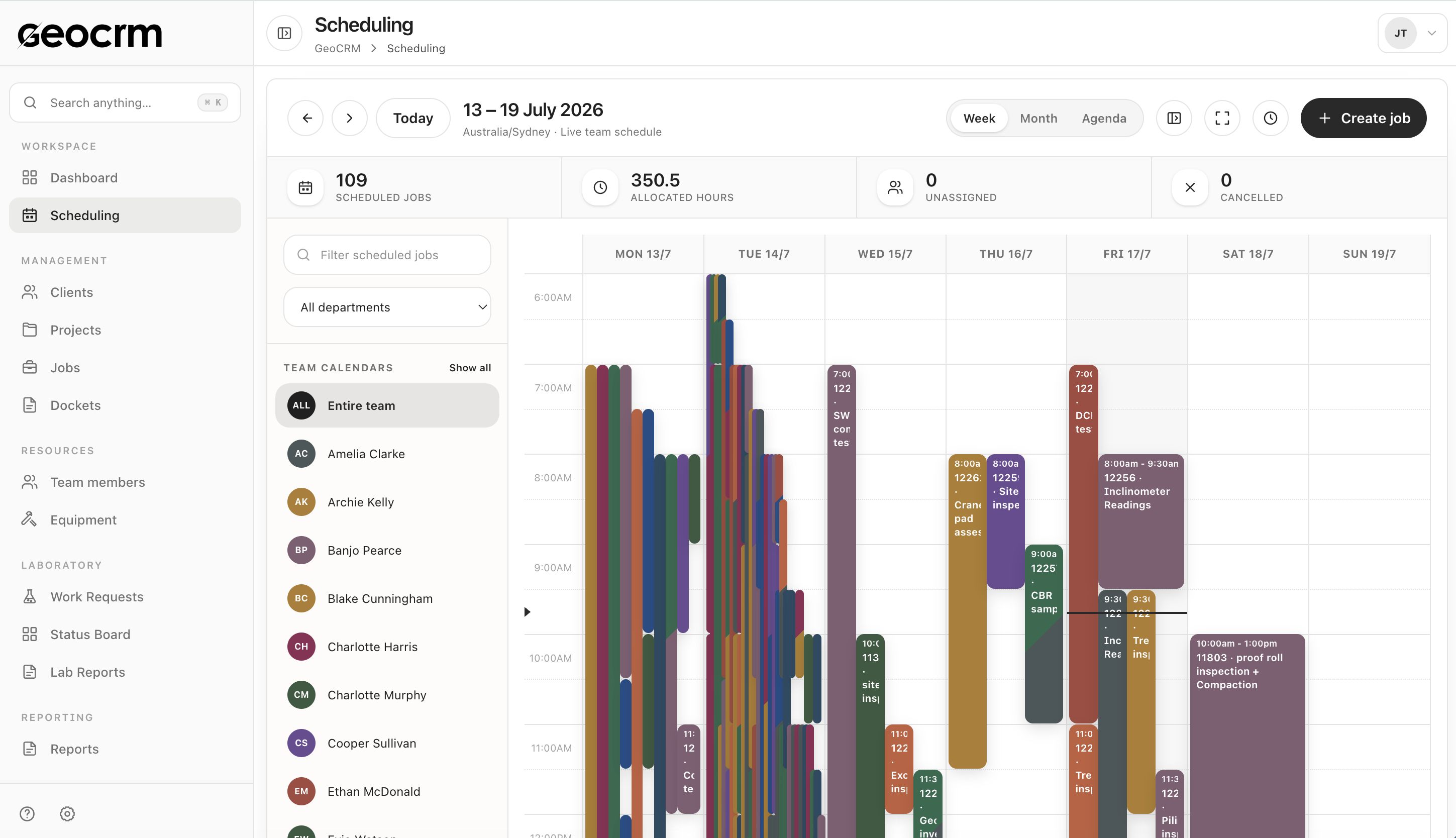
Scheduling guide
Map project, location, allocation and change ownership before moving the field week.
Read the scheduling guide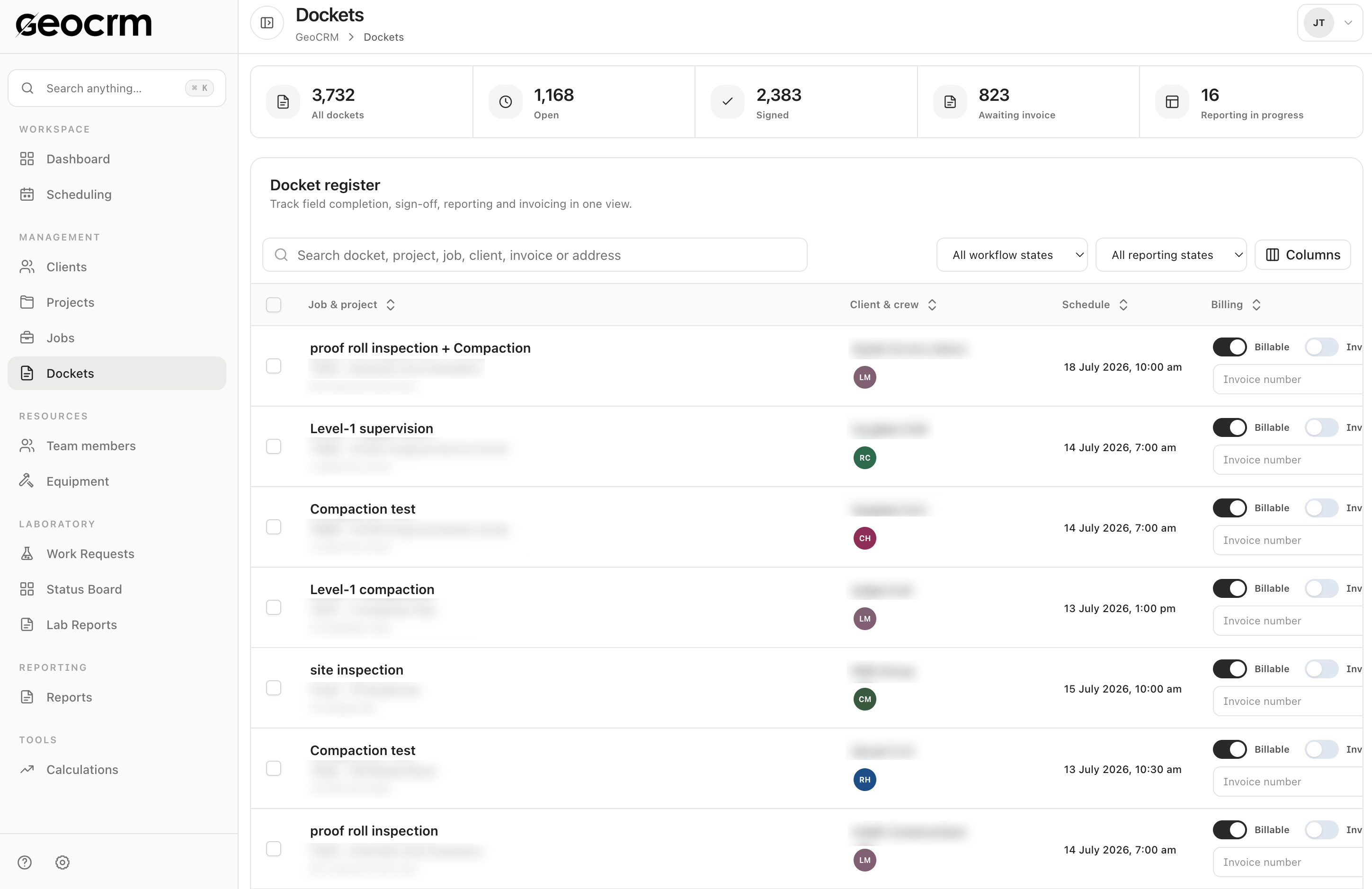
Docket guide
Keep work, evidence, time, sign-off and downstream office status attached to the job.
Read the docket guide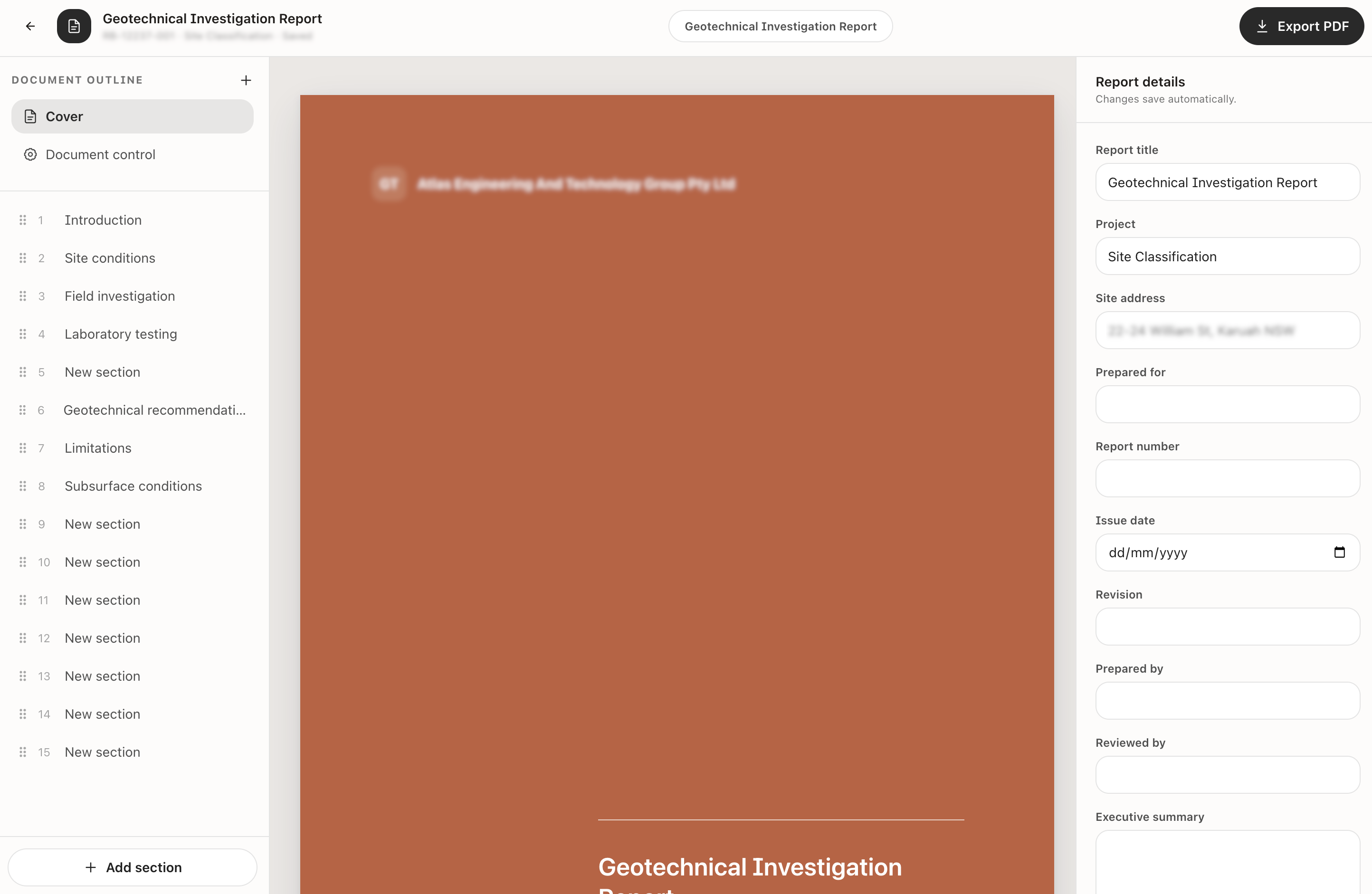
Workflow guide
Define the stages, readiness rules and owners between field completion and report issue.
Read the workflow guideGeoCRM is operational software for geotechnical and testing businesses. It connects project context with job scheduling, digital field dockets, field evidence, reporting workflows and related office processes.
The initial focus is Australian geotechnical engineering and construction-testing businesses coordinating office staff, field teams, project records, dockets and reports.
Client records are only one part of the product. GeoCRM is organised around delivery: projects, field locations, scheduled jobs, dockets, evidence, review states and reports remain connected.
Yes. The recommended approach is to begin with one high-pressure workflow, use a defined pilot and connect adjacent stages after the team trusts the process.
The demonstrated docket workflow supports work items and quantities, notes, images, start and end time, travel, relevant shift information, client name and signature, and downstream reporting and billing states.
The current report builder supports ordered sections, project and document-control details, prepared-by and reviewed-by information, automatic saving of report details and PDF export. Engineering interpretation, checking and approval remain the responsibility of appropriately qualified people.
A full replacement may be possible for some teams, but it is not the default recommendation. A staged rollout reduces operational risk and makes ownership and data requirements easier to validate.
Migration scope is defined during workflow review. Active clients, projects, upcoming jobs and information needed for current delivery are usually prioritised, while older spreadsheets and records can remain in a controlled archive unless there is a clear reason to migrate them.
The required scope can differ significantly between a small team improving one workflow and a larger business connecting field, laboratory and reporting operations. GeoCRM uses a workflow review before recommending modules, implementation support and commercial terms.
The most useful demo maps one representative job through the relevant screens. GeoCRM will show the current capability, identify any gaps and recommend the smallest useful pilot rather than presenting every module as mandatory.
No. The product can help structure records, responsibilities and document-control information, but software use alone does not guarantee compliance, accreditation or professional approval.
Yes. Bring the systems and handoffs that matter to your workflow. Integration requirements should be assessed against the current product and implementation scope rather than assumed from generic marketing claims.
Use one real workflow
Bring a current schedule, docket or report template. We will map the people, information and handoffs involved and show what GeoCRM supports today.