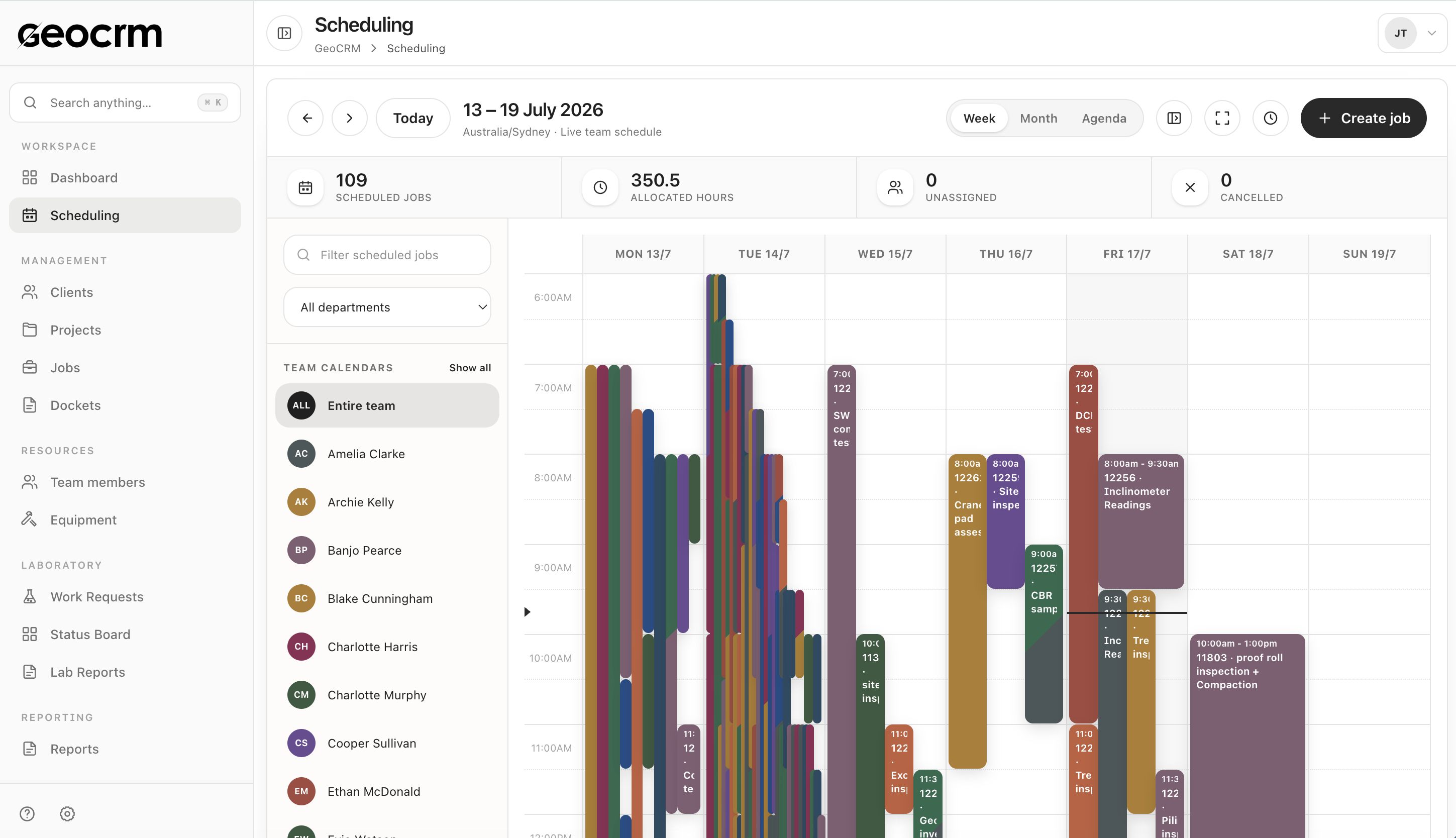
See the whole field week
Review scheduled jobs, allocated hours, unassigned work and individual team calendars in one view.

Plan drilling, site investigations, field testing and inspections with live visibility of people, allocated hours, unassigned work and changing priorities.
Australian geotechnical workflow
Geotechnical schedules change quickly when access is delayed, weather affects fieldwork, a drill rig moves, or urgent testing arrives. Shared spreadsheets and separate calendars rarely carry enough project, location and scope detail for coordinators to make confident changes.
GeoCRM provides a live operational schedule for drilling, site investigations, field testing and inspections. Assigned and unassigned work stays connected to the project and site so the field team receives more than a calendar entry.
Review scheduled jobs, allocated hours, unassigned work and individual team calendars in one view.
Select the project and site, set the time window and confirm the dispatch details before the job enters the schedule.
Use one current schedule when timing, priority or responsibility changes instead of reconciling separate calendars and messages.
Live team schedule
Review scheduled jobs, allocated hours, unassigned work, and each team calendar from one weekly view.
Job creation
Create the job against an existing or new project, confirm the field location, and review the dispatch summary before it enters the schedule.
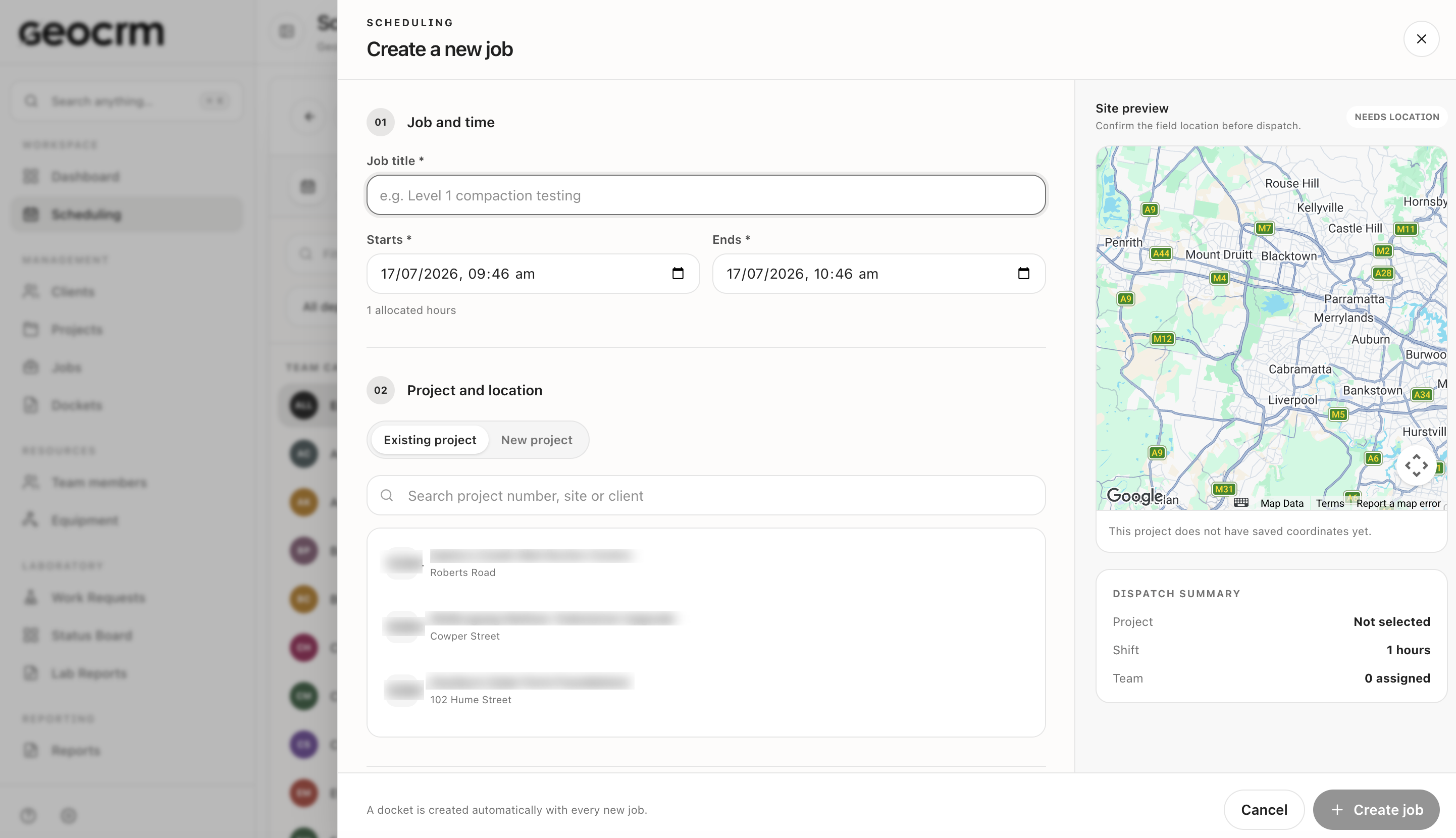
Select the project and site, define the work, timing, expected hours and required resources.
Assign suitable staff and, where relevant, plant or equipment while checking workload.
Give the team current location, contact, scope and job details before mobilisation.
Keep schedule changes visible and return completed field records to the project workflow.
Review scheduled jobs, allocated hours and unassigned work together.
Focus the schedule by crew, discipline, office or operational group.
Carry project number, site and job context into every allocation.
Identify workload gaps and potential conflicts before dispatch.
Maintain one current schedule when dates, responsibility or scope changes.
Connect the booking to dockets, forms, photos and downstream technical work.
Typical uses include drilling support, site investigations, field density testing, inspections, sampling and other project jobs.
Yes. Unassigned work and allocated hours can remain visible so coordinators can act before the field week begins.
Fit depends on the complexity of your plant, subcontractor and rostering requirements. A workflow demo should test those needs directly.
The live job record keeps current project, location and timing context available to authorised users.
See it with your own workflow
Bring a real project, schedule, field record, laboratory request or report. We will show how the workflow can be configured without asking you to share confidential client data.