Named workforce allocation
See which field staff are assigned to upcoming jobs together with project, timing, priority and expected duration—without maintaining a separate capacity spreadsheet.

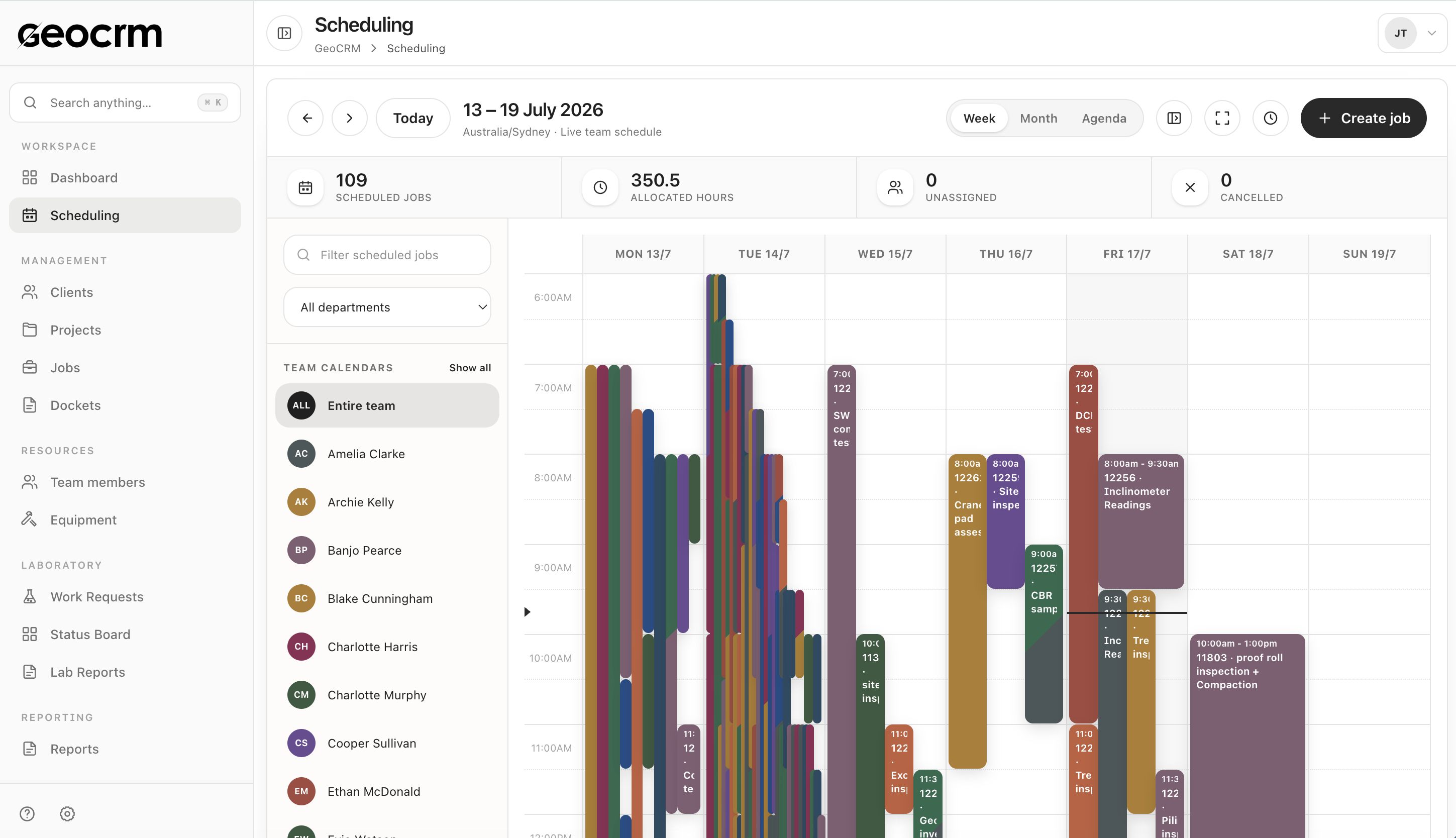
Coordinate the field week with named job allocation, unassigned-work visibility, scheduled hours, equipment status and a shared view of team capacity—so coordinators plan from the same operational record as the people delivering the work.
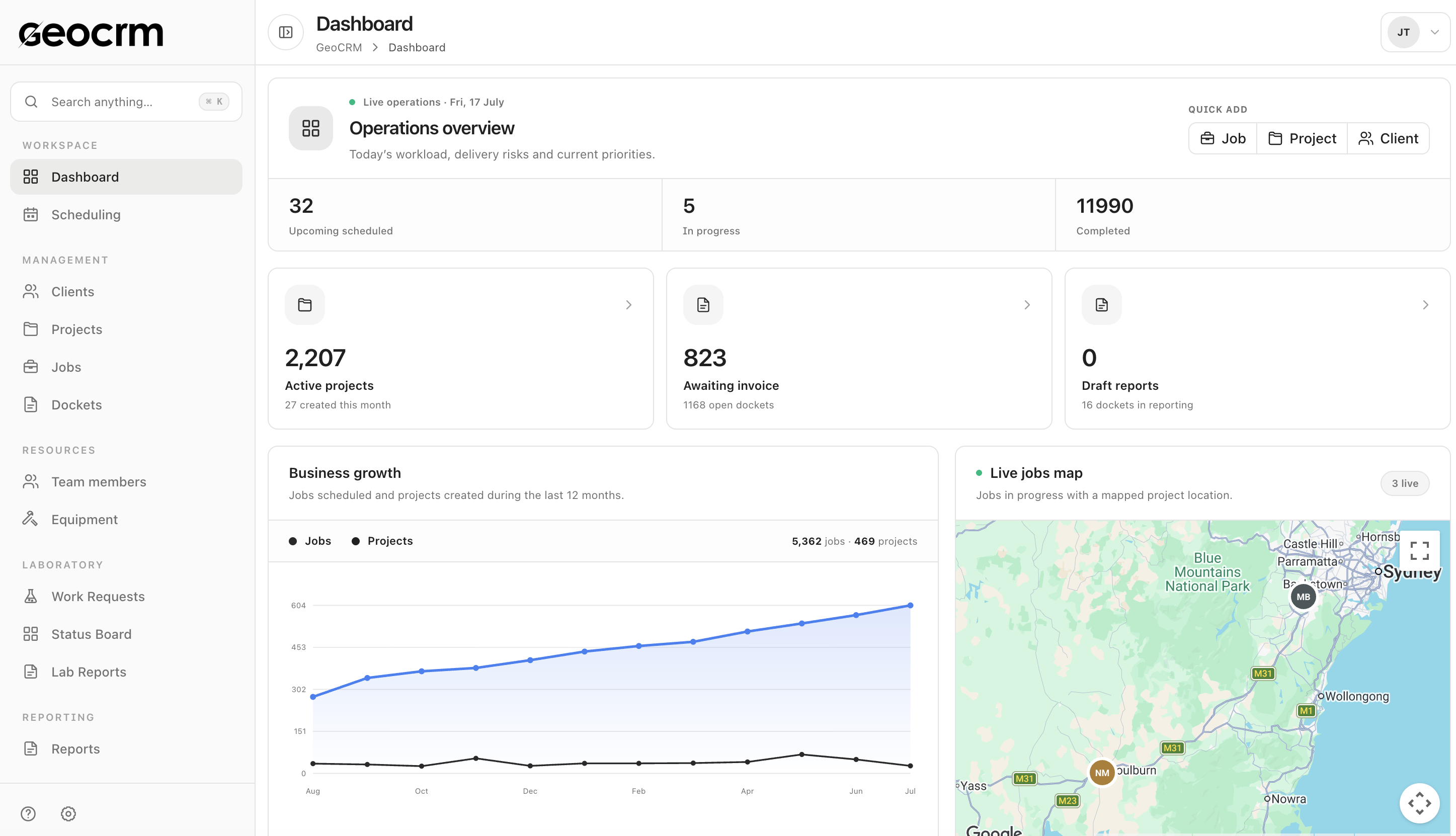
See which field staff are assigned to upcoming jobs together with project, timing, priority and expected duration—without maintaining a separate capacity spreadsheet.
Keep plant, instruments and field assets visible with custodian, status and calibration or maintenance context so jobs are not assigned to unavailable equipment.
Compare scheduled job counts and allocated field hours across seven days, and keep unassigned work visible before the field day begins.
Team schedule
Coordinate the job, project, field location, timing, priority and assigned people from the shared schedule so workload decisions stay attached to real work.
Capacity and assets
Use the operations view to compare named allocations against a shared reference week and identify uneven distribution before it becomes a delivery problem. Keep equipment registers close so custodians and status inform the plan.
Yes. Unassigned work remains visible in the schedule and upcoming-work views so coordinators can resolve it before the field day.
The current dashboard shows scheduled job counts and allocated field hours across seven days, expressed against a shared reference week. It is scheduling context, not proof of leave, qualifications or fatigue controls.
Yes. Equipment registers can keep custodians, status and calibration or maintenance context visible alongside the people allocated to jobs.
Yes. The current field schedule supports jobs with more than one named team member.
This page is limited to demonstrated field-work and equipment planning. It does not claim that GeoCRM replaces payroll, employment-law advice or your organisation’s HR controls.
Bring next week’s field schedule
We will map named assignments, unassigned work, scheduled hours, equipment context and the capacity view using a representative field week.