Complete the docket in the field
Record work items, quantities, notes, images, start and finish times, travel and client sign-off against the job.

Capture time, travel, work completed, notes, photos and sign-off once, then give the office a clear handoff for reporting and invoicing.
Australian geotechnical workflow
Field dockets are the operational evidence of what happened on site: who attended, when they worked, what service was completed, what equipment was used and what needs follow-up. Paper forms and disconnected PDFs slow approval, invoicing and project review.
GeoCRM keeps the docket with its job, project and site. Field staff can capture consistent records, attach supporting evidence and return the completed docket to the office without rekeying the same context.
Record work items, quantities, notes, images, start and finish times, travel and client sign-off against the job.
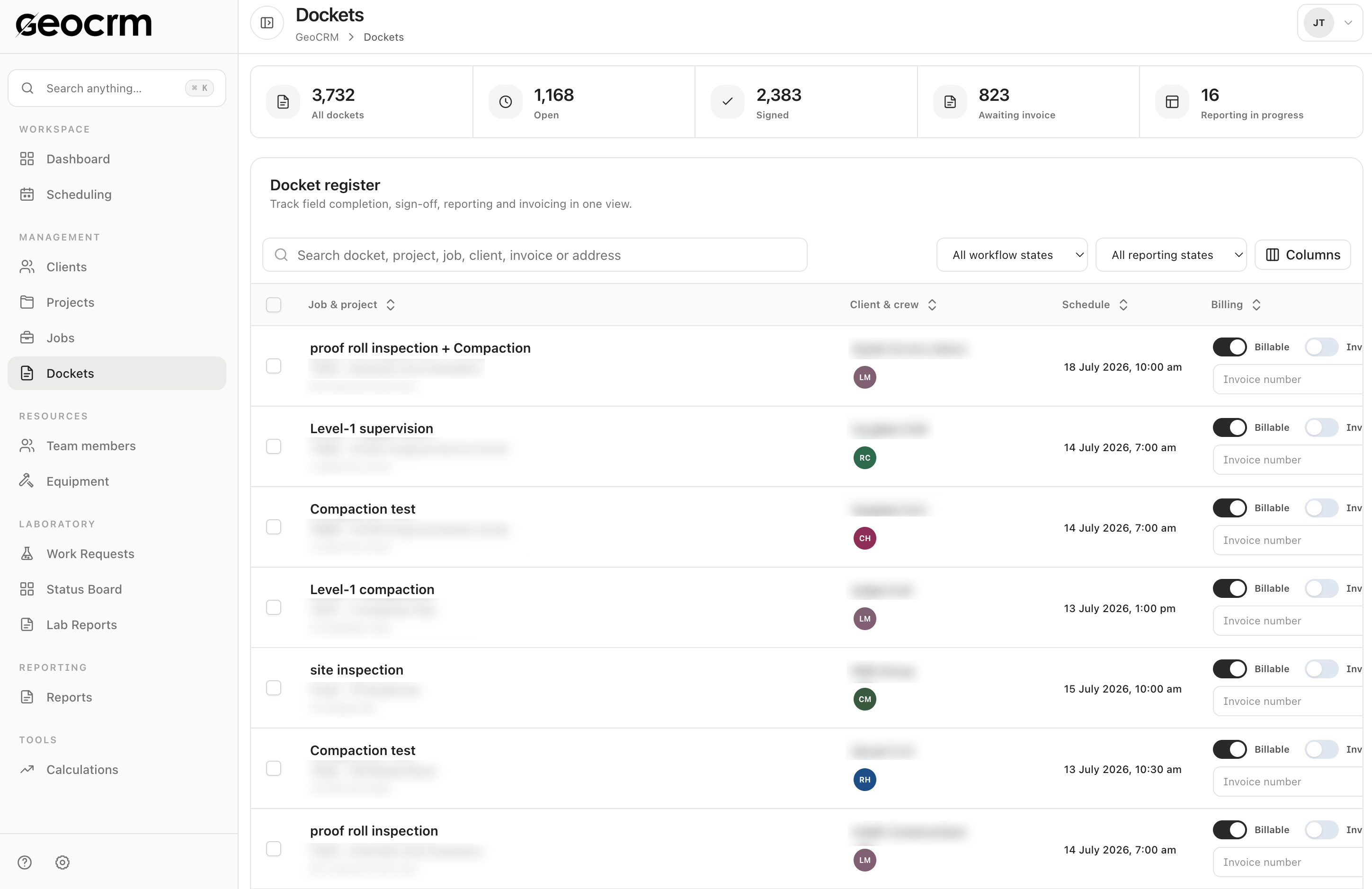
See open, locked, signed and emailed dockets alongside the assigned project, client, crew and schedule.
Maintain reporting status, billable state, invoice state and invoice number from the same docket register.
Docket register
Search by docket, project, job, client, invoice or address and filter the register by workflow or reporting state.
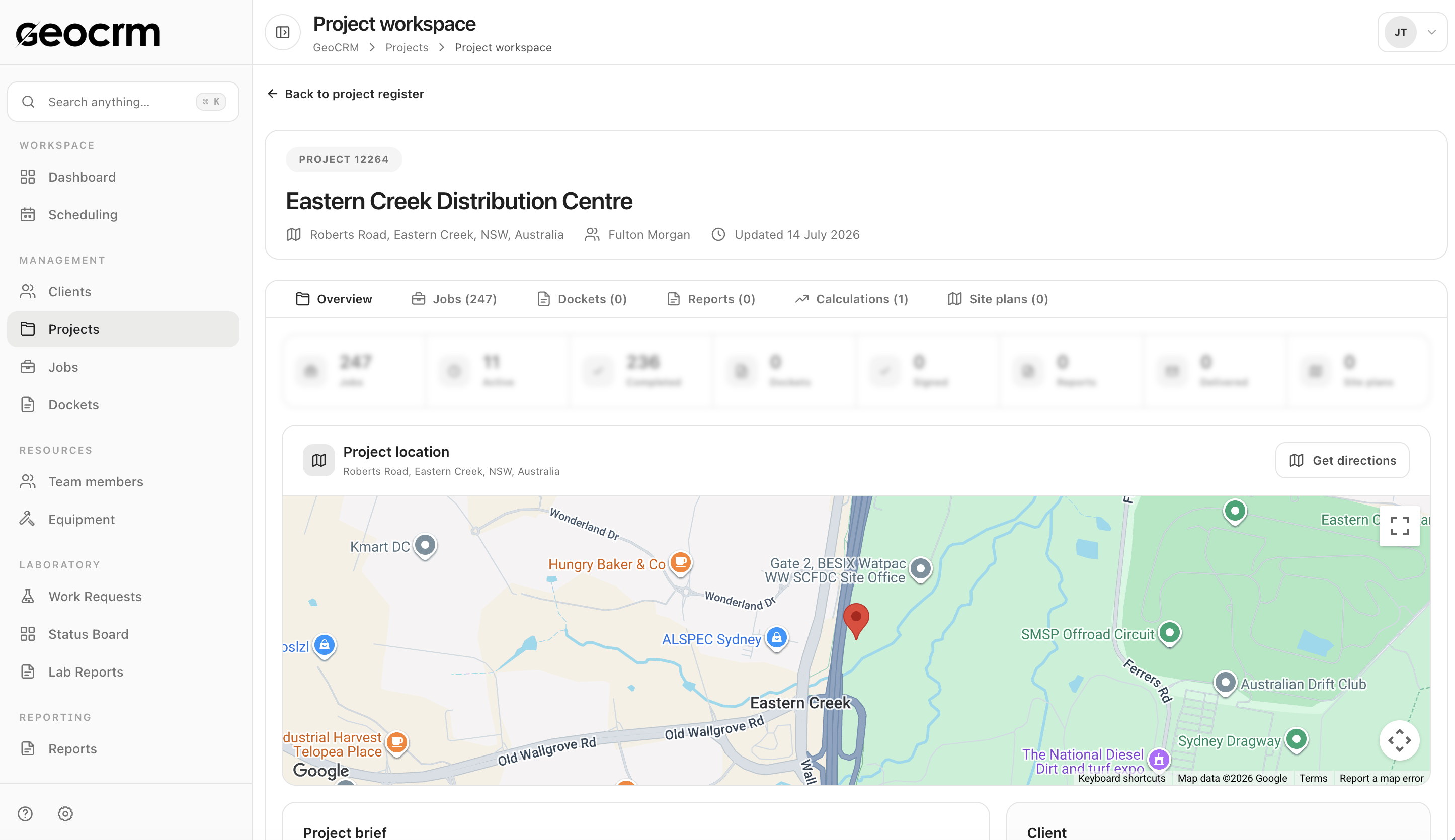
Connected project history
Open the project workspace to continue into jobs, dockets, reports, calculations and site plans without matching records manually.
Start from the scheduled project, site, scope and contact details.
Capture attendance, time, service details, notes, quantities and equipment as configured.
Add photos, forms, signatures or relevant records to the same job history.
Check the docket, resolve exceptions and make approved information available for reporting or billing workflows.
Reduce miscoding by creating the docket from the correct job and project.
Use structured fields and configured forms instead of free-form paper notes.
Record who attended and the working period associated with the site activity.
Keep supporting site evidence with the docket rather than in personal devices or inboxes.
Show whether a docket is incomplete, submitted, checked or ready for downstream use.
Retrieve prior attendance and site activity when answering project or client queries.
GeoCRM is designed to support field use; the exact mobile and offline workflow should be confirmed against your operating environment.
Fields, terminology and approval paths can be configured around the information your business requires.
No. It records operational evidence; contractual assessment and invoice approval remain business responsibilities.
Integration options can be assessed for accounting, payroll or other operational systems using controlled identifiers.
See it with your own workflow
Bring a real project, schedule, field record, laboratory request or report. We will show how the workflow can be configured without asking you to share confidential client data.