Nobody is sure which version is current
Copies, filters and manual edits make it difficult to know whether the coordinator, project manager and field technician are looking at the same plan.

A practical migration path for geotechnical teams that have outgrown a shared spreadsheet, messages and separate calendars—but cannot disrupt the field week to change systems.
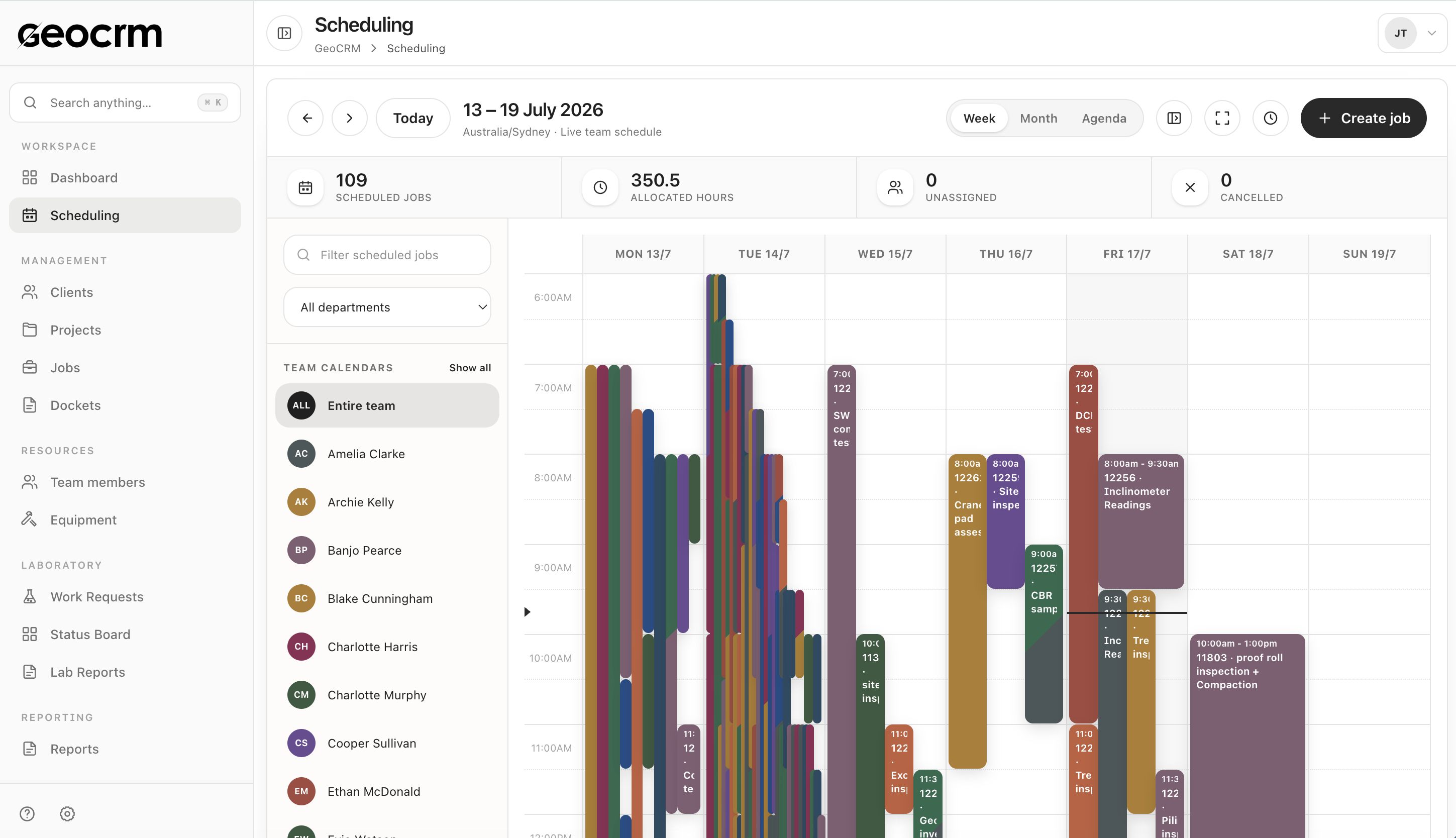
Copies, filters and manual edits make it difficult to know whether the coordinator, project manager and field technician are looking at the same plan.
Reassignments, cancellations and site instructions arrive through calls or group chats, leaving the shared spreadsheet behind the real field week.
Technicians still need to chase the project number, site address, contact, location, work scope or expected field record before attending.
The team can appear busy while individual jobs remain unallocated, or the same person is booked beyond the hours actually available.
Once the visit is finished, the office must reconcile the schedule with notes, photos, hours, dockets, reporting status and invoice readiness.
Step 1 · Map the current field week
List who creates bookings, who changes them, which project and site details are required, how unassigned work is identified, and which messages or calendars carry information the spreadsheet cannot hold.
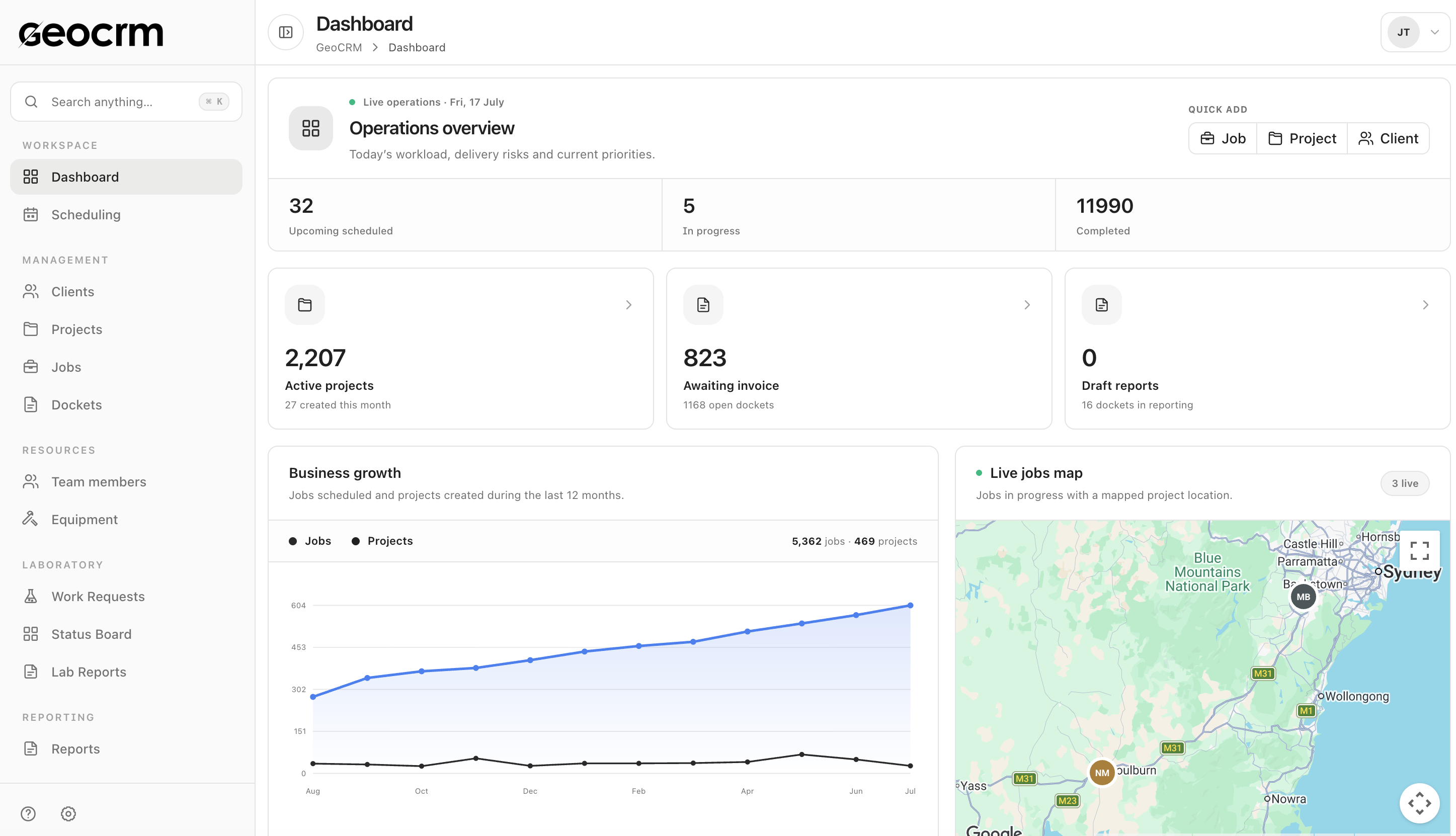
Step 2 · Pilot one team or job type
Start with a coordinator and a small group of field staff. Create jobs against the correct project and location, allocate the work, and use the shared schedule for changes rather than maintaining a parallel operational copy.
Step 3 · Connect field completion
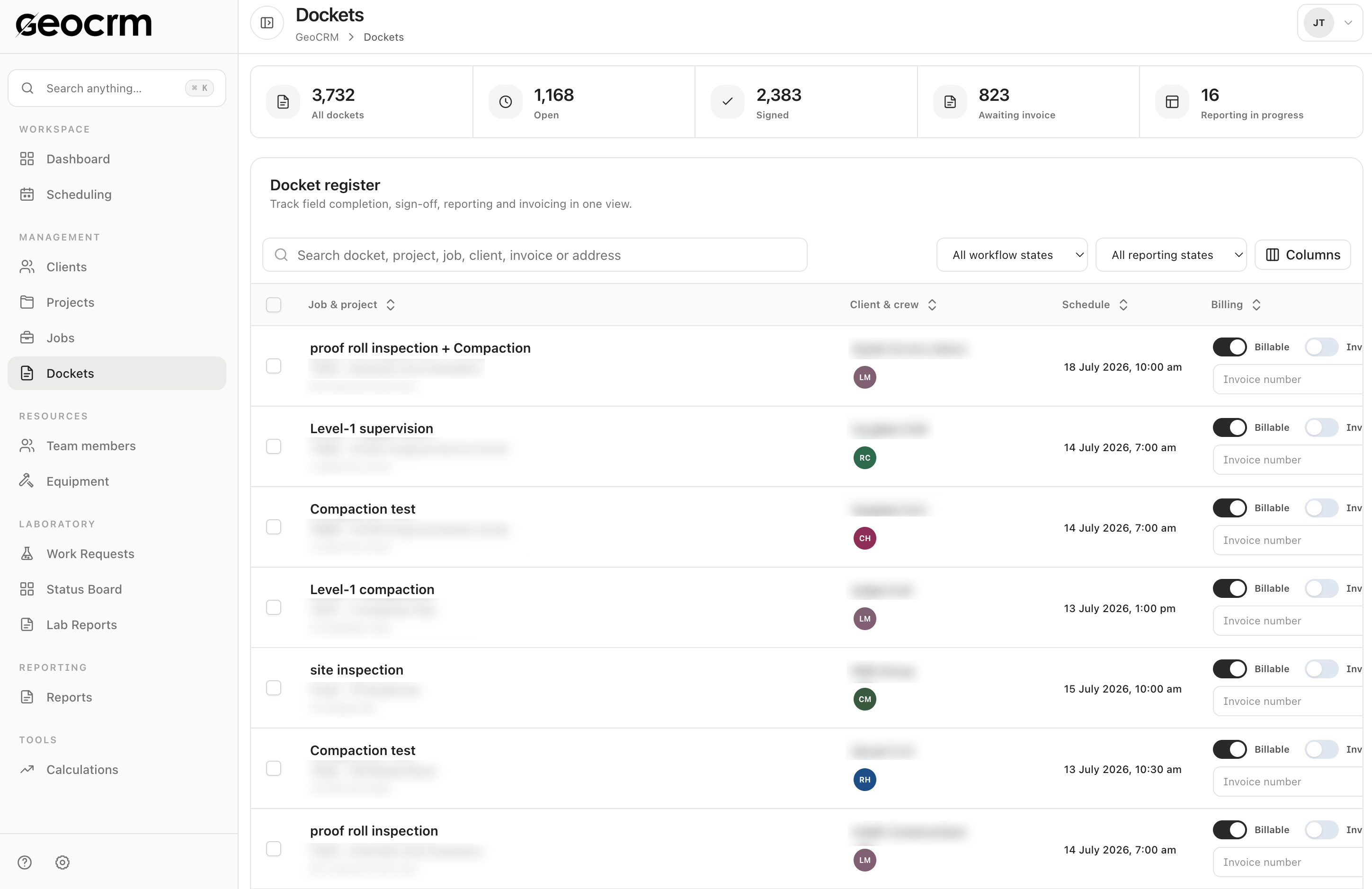
Once the schedule is trusted, connect the digital docket so work items, notes, photos, time, travel and client sign-off return against the correct job, with reporting and invoicing states visible to the office.
Replace it when the spreadsheet is no longer a dependable shared record: changes are communicated elsewhere, project or location details are missing, unassigned work is difficult to see, or field completion requires repeated reconciliation. A small stable team with a simple schedule may not need to change yet.
Usually not. Prioritise active projects, upcoming work and the history needed for current delivery or client queries. Older spreadsheets can remain in a controlled read-only archive unless a clear operational or compliance reason requires migration.
Use a short, defined pilot with one named schedule owner. Set a cutover date for the pilot group, make changes only in the new schedule, and retain the old spreadsheet as a reference rather than an editable second source of truth.
At minimum: the project, job type, site or field location, scheduled time, assigned people, priority and the information the field team needs before attendance. The exact fields depend on your services and dispatch process.
Yes. Scheduling can be the first workflow. Once the team trusts it, digital dockets and reporting can be connected so downstream work retains the same project and job context.
Run it long enough to cover ordinary work plus at least a few changes, cancellations or urgent bookings. The objective is to test ownership and handoffs, not merely confirm that a booking can be created.
Use next week’s field schedule
Bring the current columns, calendars and message handoffs. We will show how the same field week can be organised in GeoCRM without changing every process at once.