GeoCRM
Civil project delivery operations

Keep civil engineering fieldwork connected to the project and deliverable.

Coordinate projects, site inspections, field schedules, digital dockets and report preparation without rebuilding the same client and site context across separate tools.

Multi-project visibility Field scheduling and records Connected reporting workflow
Keep civil engineering fieldwork connected to the project and deliverable.

One operational record for project, field and office teams Keep the delivery context visible while work moves between project managers, coordinators, field engineers and reviewers.

Control active project work

Keep project numbers, clients, sites, locations, jobs and delivery records together in one searchable workspace.

Plan field attendance

Schedule inspections and site work, allocate people and keep timing and location information attached to each job.

Preserve the field-to-office handoff

Capture work completed, notes, images, time and sign-off in a digital docket, then maintain reporting and billing visibility.

See the civil project workflow in GeoCRM The project record stays intact while work moves from planning through site attendance and office follow-up.

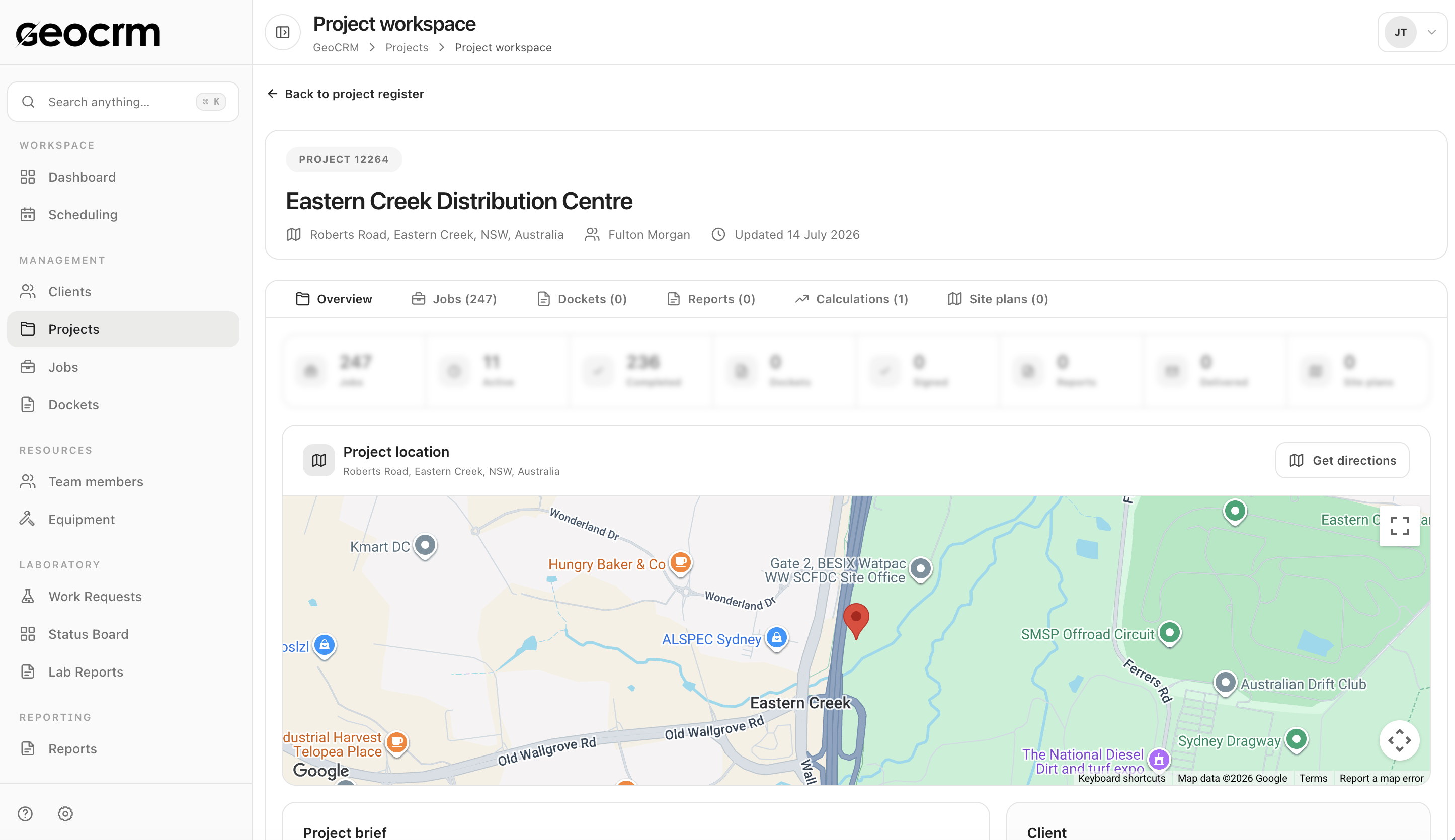
Project management

Keep delivery records attached to the correct civil project.

Use one workspace for client and site context, jobs, dockets, reports, calculations, locations and supporting plans.

  • Project and client identity
  • Site and mapped locations
  • Connected job and document history
Explore project management
Keep delivery records attached to the correct civil project.

Field coordination

Plan inspections and site work from one current schedule.

Review scheduled hours and unassigned work, then allocate the field team with project, location and timing context included.
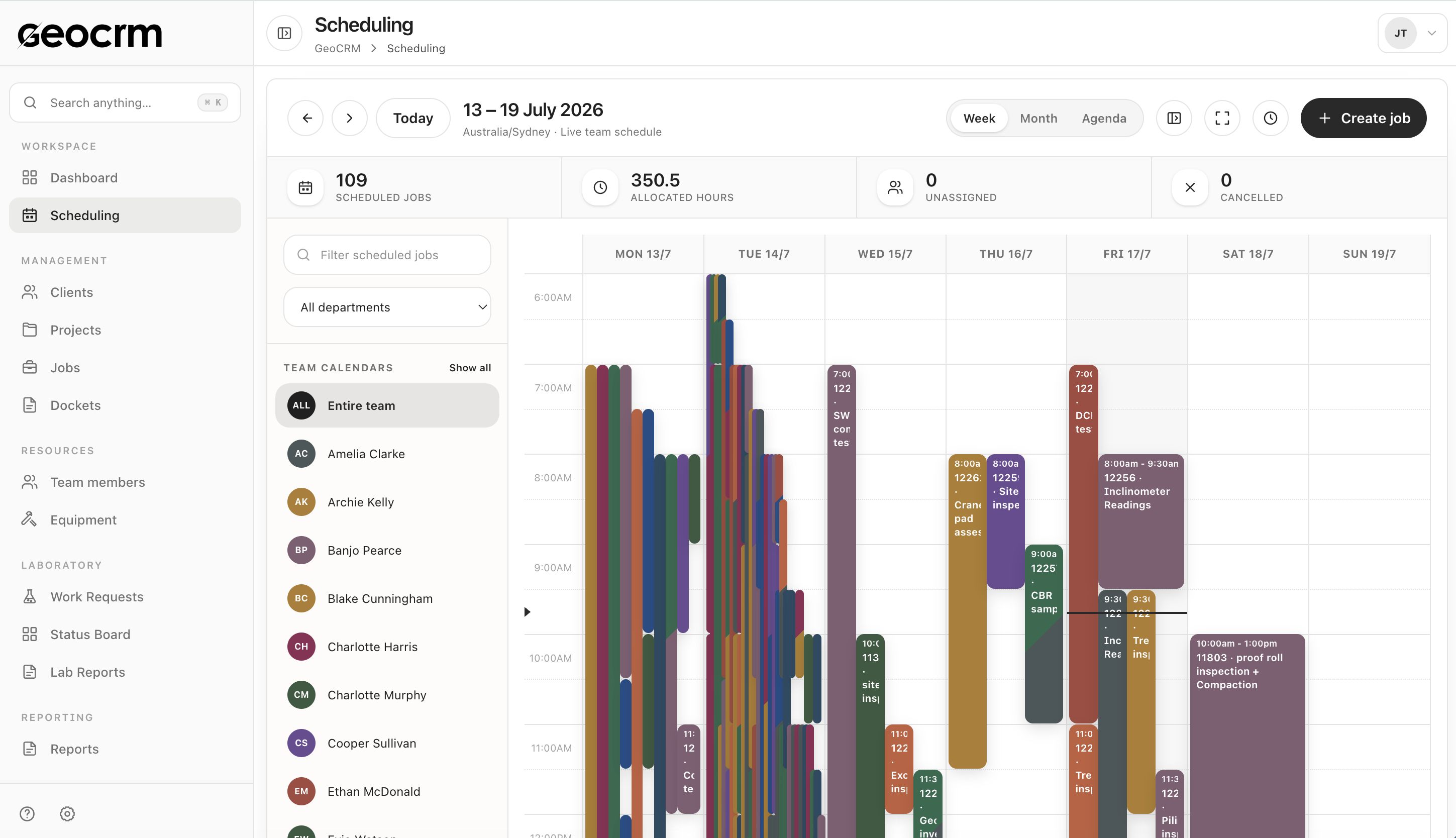
  • Team and department calendars
  • Allocated and unassigned work
  • Project-linked job creation
Explore job scheduling
Plan inspections and site work from one current schedule.

Field evidence

Retain what happened on site in the job record.

Use digital dockets for work items, quantities, notes, images, time, travel and client sign-off, with downstream reporting and invoicing states visible.
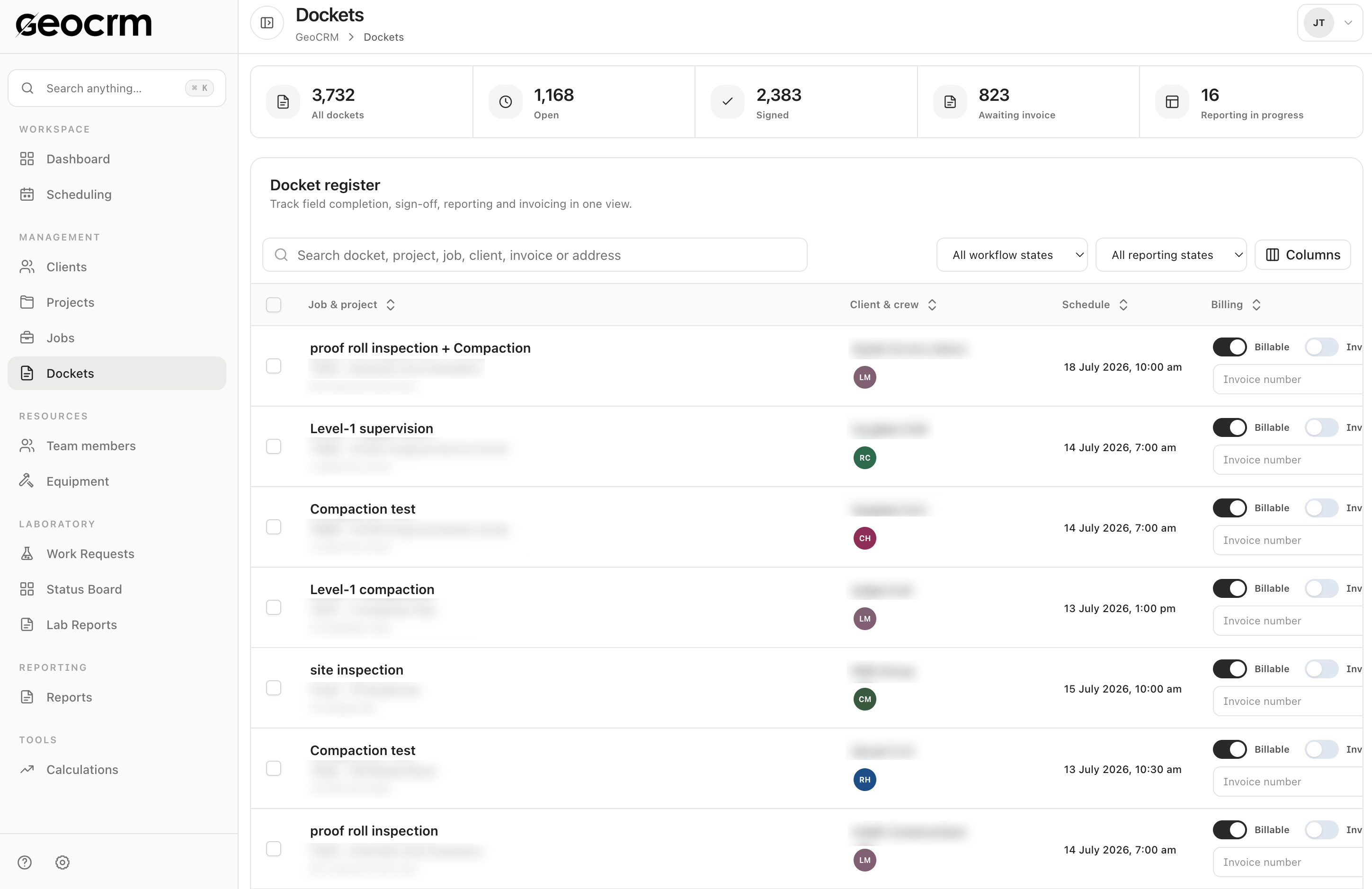
  • Notes, photos and work items
  • Hours, travel and sign-off
  • Reporting and billing states
Explore field data and dockets
Retain what happened on site in the job record.

Where GeoCRM fits in civil project delivery Use GeoCRM for the coordination-heavy work that sits between winning a project and issuing its deliverables.

  • Maintain active projects, clients, sites and locations
  • Schedule field inspections and engineering attendance
  • Allocate people and identify unassigned work
  • Capture digital site records, photos, time and sign-off
  • Track dockets through reporting and invoicing states
  • Prepare structured reports with document-control details
  • Keep calculations and supporting records with the project
  • Review delivery status across multiple active projects

Questions from civil engineering teams

Can GeoCRM manage projects across multiple active sites?

Yes. Projects retain client, site and mapped-location context while shared schedules, job registers and dashboards help teams coordinate work across active locations.

Can field inspections be scheduled against a project?

Yes. Jobs can be created with project, location, timing and team allocation details so field attendance begins with the required context.

What can engineers or technicians record after a site visit?

Digital dockets can hold work items, quantities, notes, images, start and finish times, travel details and client sign-off against the job.

Can office teams see what still needs reporting or invoicing?

Yes. Docket registers expose operational, reporting, billable and invoicing states so incomplete handoffs remain visible.

Can we begin with project management and scheduling?

Yes. GeoCRM can be introduced around the highest-pressure workflow first, then connected to field dockets, reporting and other operational modules in stages.

Use one current civil project

Map the work from project setup to site record.

Bring an active project and next week’s field schedule. We will show how GeoCRM connects allocation, field evidence and office follow-up.