GeoCRM
Field and laboratory testing operations

Keep construction testing work moving from booking to verified record.

Coordinate testing jobs, technicians, digital field dockets, laboratory work requests and reporting without rebuilding the same site and project information in separate tools.

Live field scheduling Digital testing dockets Laboratory work requests
Keep construction testing work moving from booking to verified record.

Keep field, laboratory and office work in the same delivery chain Maintain the project and site context while responsibility moves between the scheduler, technician, laboratory and reviewer.

Plan daily testing work

Schedule site attendance, allocate technicians and keep unassigned or changed work visible to the operations team.

Capture a defensible field record

Record work items, quantities, notes, photos, hours, travel and client sign-off in the digital docket.

Track the downstream handoff

Use docket, laboratory, reporting and billing states to show what is complete and what still requires action.

See the testing workflow in the platform Use shared operational registers to coordinate the job before, during and after the site visit.

Scheduling

Allocate technicians from one current field schedule.

Review the field week, scheduled hours and unassigned work, then create the booking with its project, location and timing attached.
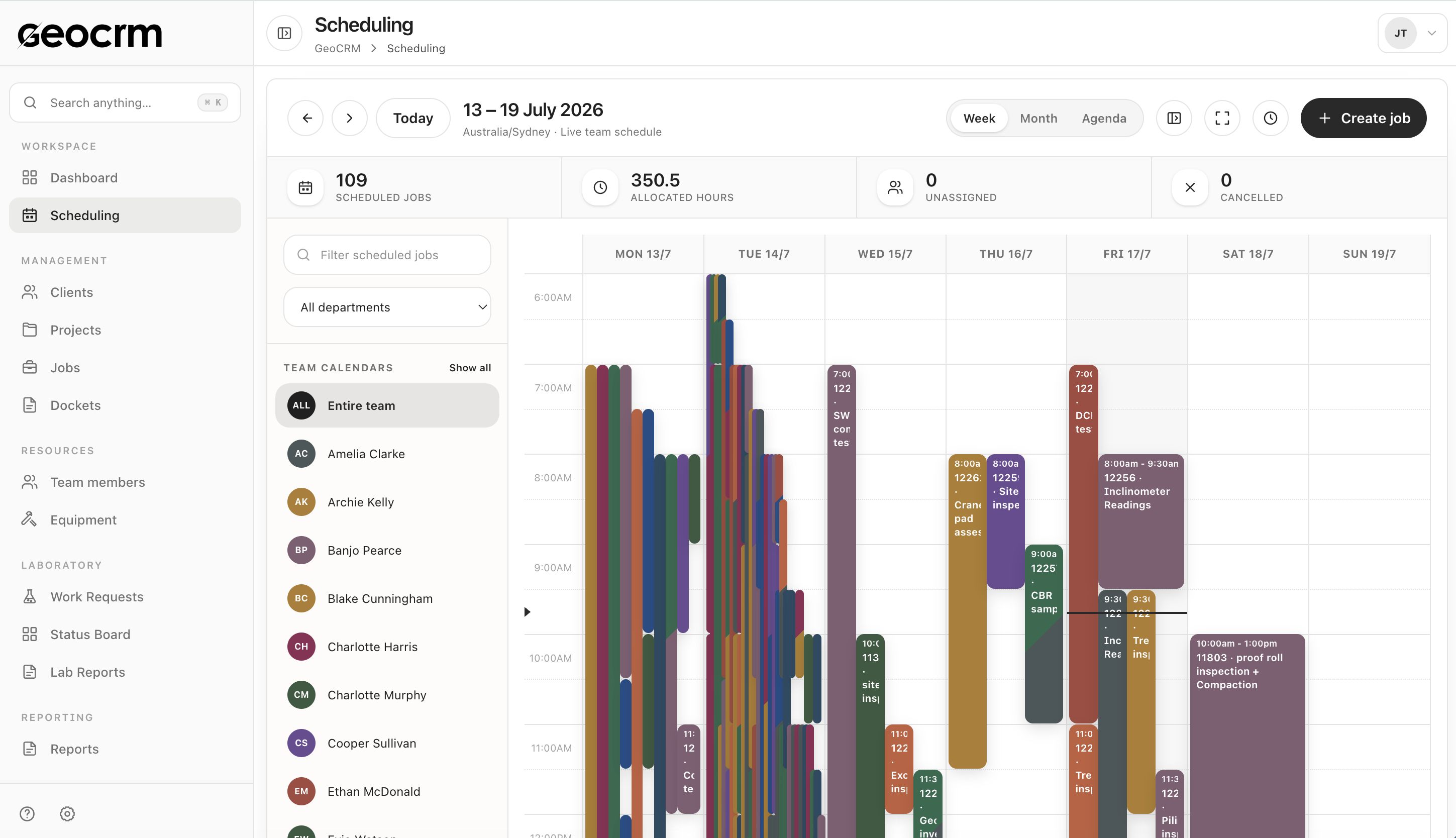
  • Week, month and agenda views
  • Team and department filters
  • Project-linked job creation
Explore job scheduling
Allocate technicians from one current field schedule.

Field record

Keep the testing docket attached to the correct job.

Capture what happened on site while it is current, including work items, notes, images, time, travel and client sign-off.
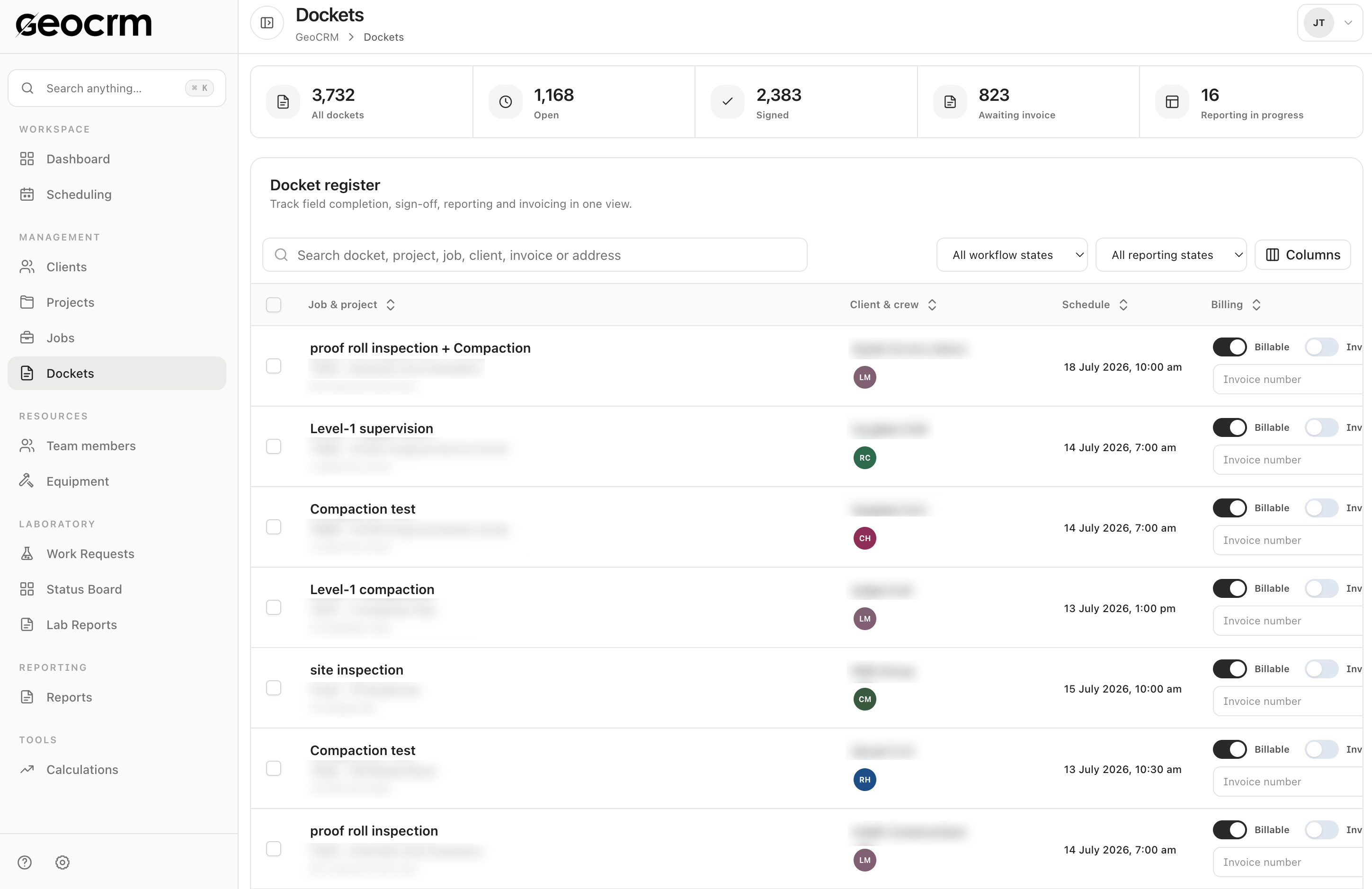
  • Work items and quantities
  • Notes, photos and signatures
  • Reporting and billing states
Explore digital dockets
Keep the testing docket attached to the correct job.

Laboratory handoff

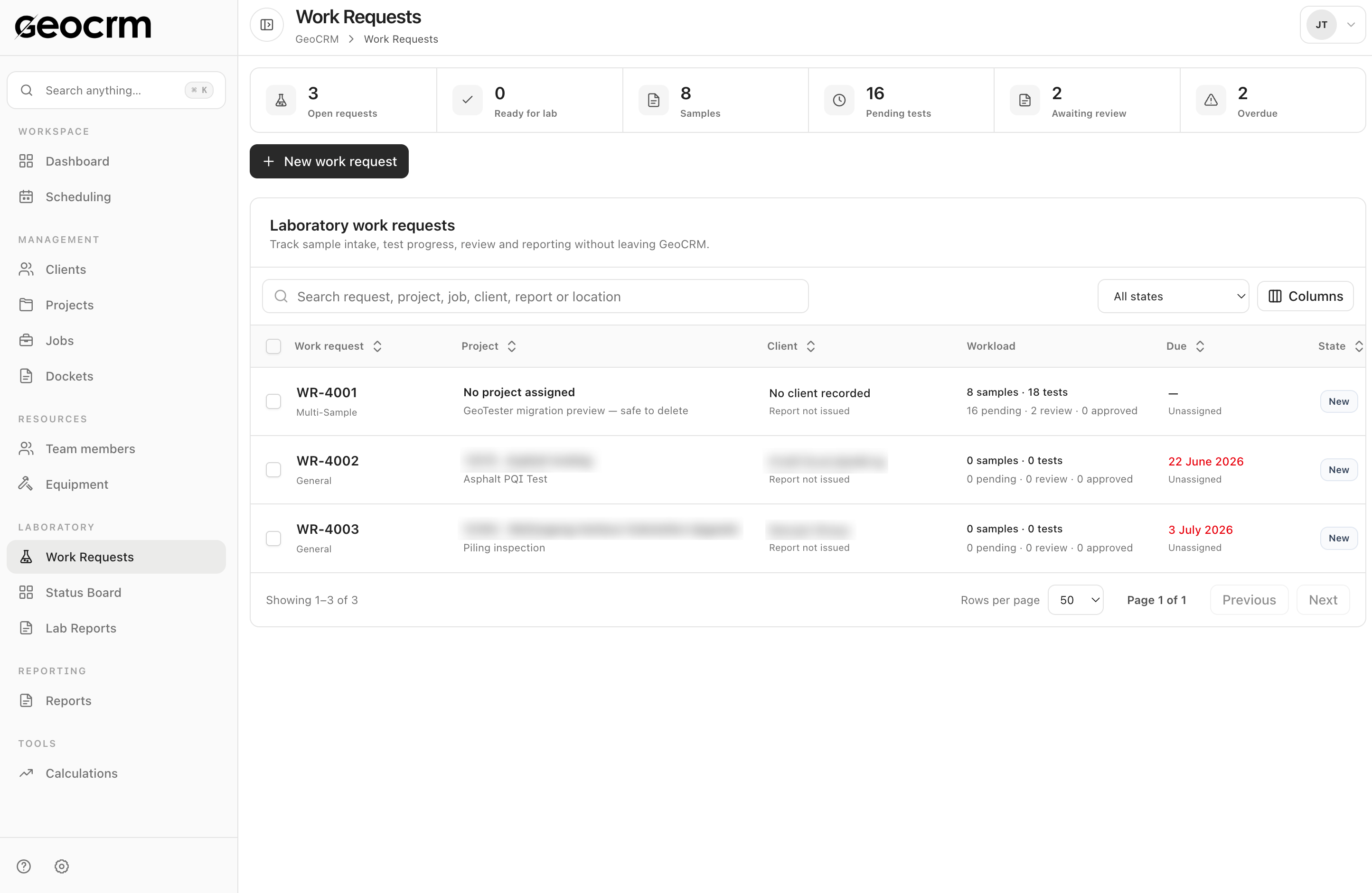
Track laboratory work requests and their current status.

Keep requested tests, samples, assignments and progress visible after material moves from the site into the laboratory workflow.

  • Work-request register
  • Sample and test context
  • Visible progress and ownership
Explore laboratory management
Track laboratory work requests and their current status.

Common construction-testing workflows Use GeoCRM where frequent bookings, high job volumes and field-to-laboratory handoffs create daily coordination pressure.

  • Schedule site testing and inspection attendance
  • Allocate technicians and identify unassigned jobs
  • Keep project, site and contact details with the booking
  • Capture digital dockets, photos, hours and signatures
  • Track testing work through reporting and invoicing states
  • Create and monitor laboratory work requests
  • Keep field and laboratory records attached to the project
  • Give operations managers a live view of workload and delivery status

Questions from construction-testing teams

Can GeoCRM handle a high volume of short site bookings?

GeoCRM provides shared scheduling, job and docket registers designed to keep frequent field bookings searchable and attached to their project and site context.

What can technicians record in a digital docket?

A docket can include work items and quantities, notes, images, start and finish times, travel, shift details and client sign-off against the job.

Can the office track which testing jobs still need action?

Yes. Docket registers expose operational, reporting, billable and invoicing states so office teams can identify incomplete handoffs.

Does GeoCRM include laboratory work requests?

Yes. Laboratory workflows include work requests, sample and test context, assignments, status tracking and lab reporting areas.

Can we begin with scheduling and digital dockets?

Yes. A staged rollout can begin with the highest-volume field workflow and connect laboratory or reporting processes as the team is ready.

Bring next week’s testing schedule

See one testing job from booking to office handoff.

We will map the schedule, field docket, laboratory request and downstream reporting actions using a workflow your team already understands.