GeoCRM
From field completion to issued report

Build geotechnical reports without rebuilding the project context.

Use structured report sections, project and document-control details, and PDF export in the same workflow that holds the supporting jobs and field records.

Structured report sections Project and document details PDF export
Build geotechnical reports without rebuilding the project context.

Reporting as the final stage of delivery—not a separate document task Keep the report outline, document details and project context together while the deliverable is prepared.

Structured report outline

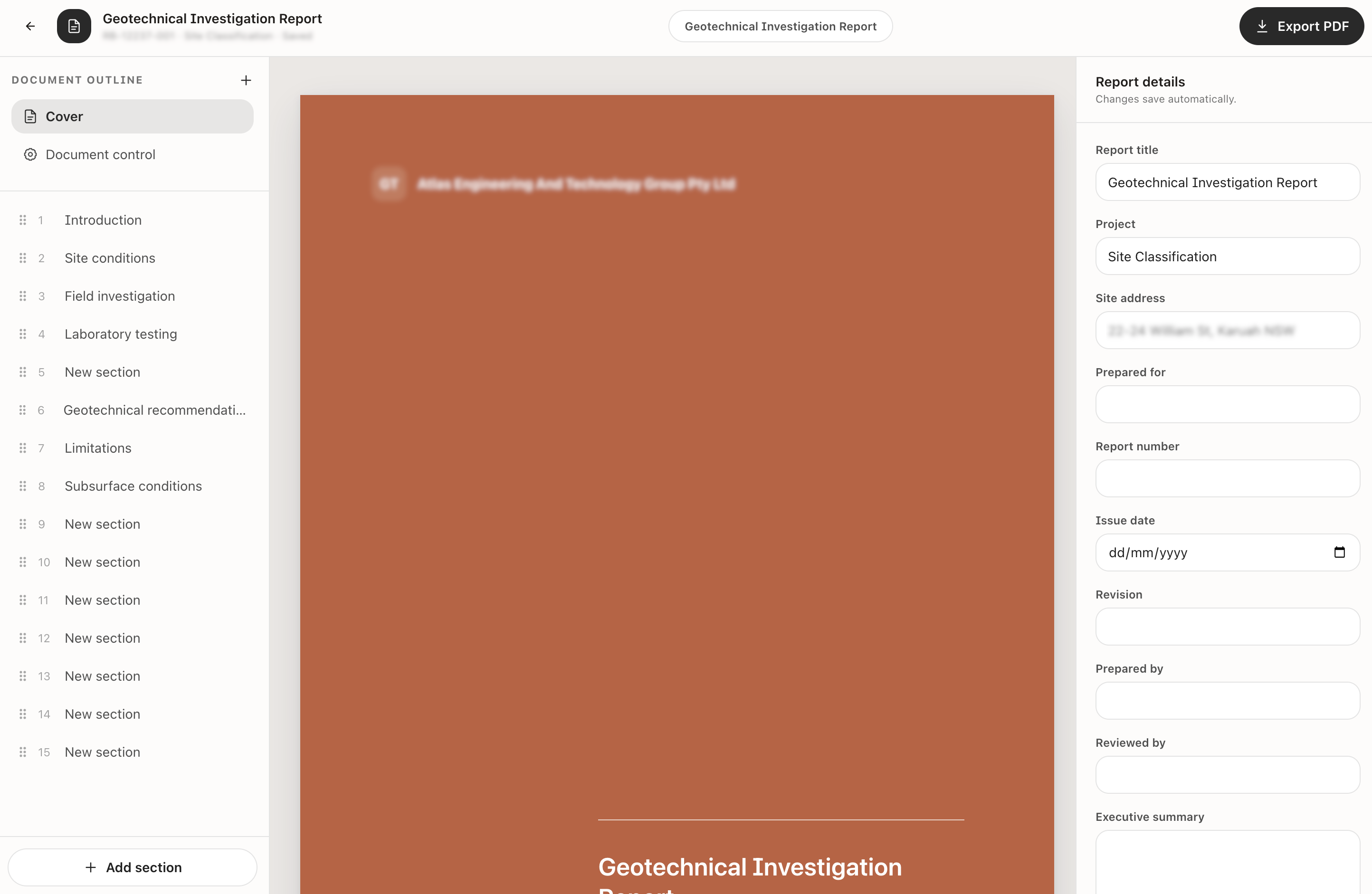
Build the report from ordered sections covering the investigation, site conditions, testing, recommendations and limitations.

Document-control details

Maintain the report title, project, site address, report number, issue date, revision, preparer and reviewer.

Connected project record

Keep the report with the project workspace that also holds jobs, dockets, calculations and site plans.

See the reporting workflow Build the document, keep its control details visible and retain the operational records that support it.

Report builder

Build the document from controlled sections.

Manage the report outline and cover details while previewing the document, then export the finished report as a PDF.

  • Ordered report sections
  • Automatic saving of report details
  • PDF export
Book a reporting walkthrough
Build the document from controlled sections.

Project history

Keep the report with the work that produced it.

The project workspace connects the report to the location, client, jobs, dockets, calculations and site plans that support delivery.
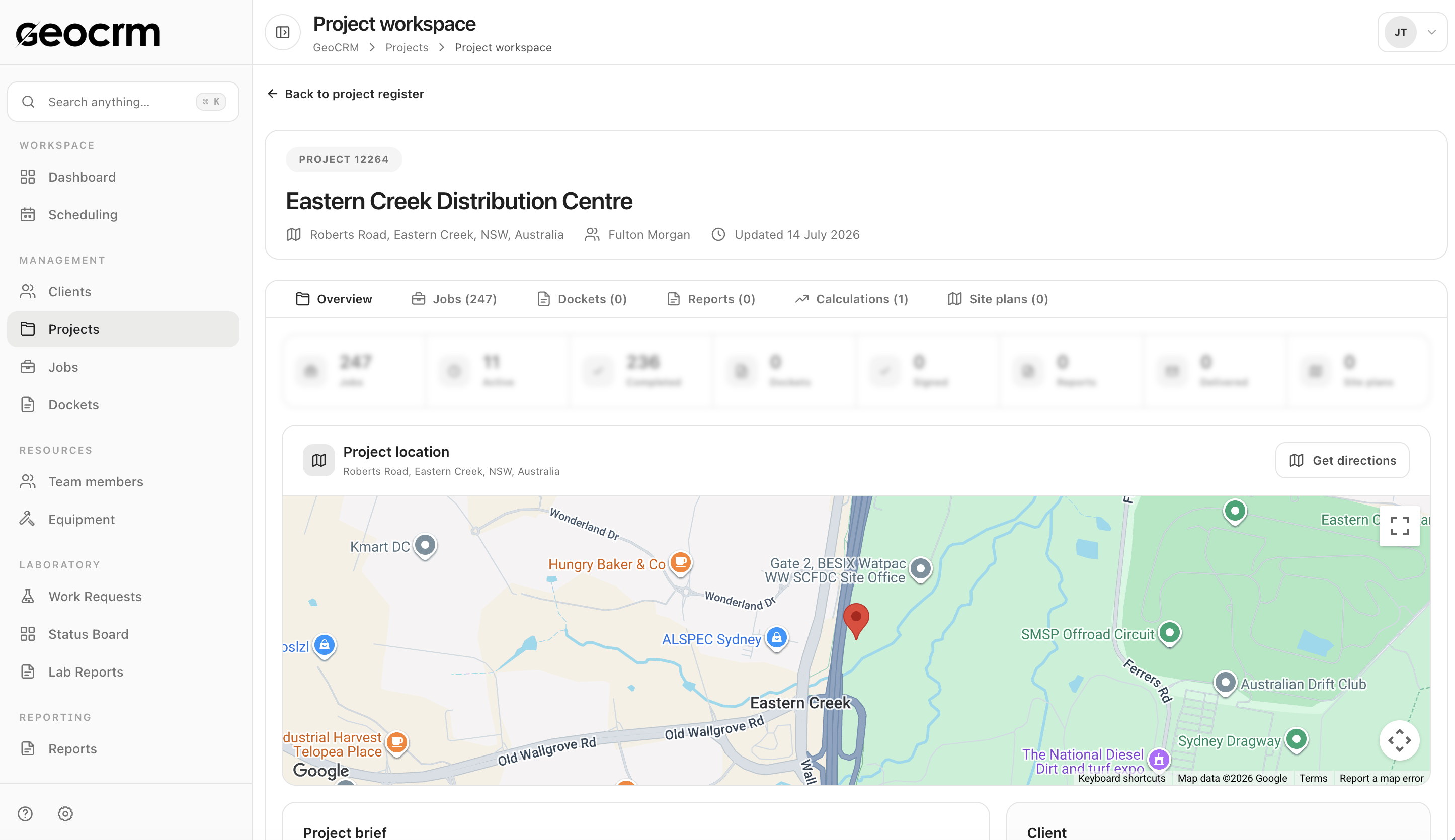
  • Project and client context
  • Linked field dockets
  • Reports and calculations together
Explore project management
Keep the report with the work that produced it.

What the report builder keeps together The working document and the key control information needed for issue.

  • Cover and document-control sections
  • Ordered report outline
  • Project and site address
  • Report number and issue date
  • Revision, prepared-by and reviewed-by details
  • Executive summary and technical sections
  • Automatic saving of report details
  • PDF export

Geotechnical reporting questions

Can GeoCRM build a geotechnical report from structured sections?

Yes. The report builder uses an ordered document outline so sections can be created and organised while the report is prepared.

Which document-control details can be retained?

The workspace includes the report title, project, site address, prepared-for details, report number, issue date, revision, prepared-by and reviewed-by fields.

Can reports be exported as PDF files?

Yes. The report builder includes PDF export for the completed document.

Does the report stay connected to the project?

Yes. Reports remain available from the project workspace alongside jobs, dockets, calculations, location and site plans.

Use a real reporting workflow

Bring one report template to the demo.

We will map its document details, section structure and connection to the underlying project and field records.