GeoCRM
Project delivery workspace

Geotechnical project management with every delivery record attached.

Keep the project number, location and client context together with jobs, dockets, reports, calculations and site plans.

Jobs and dockets Reports and calculations Location and site plans
Geotechnical project management with every delivery record attached.

One project record for every operational handoff Give coordinators, field staff and report authors the context they need without maintaining a parallel project spreadsheet.

Project identity and location

Keep the project number, name, site address, map location, client and recent update visible.

Connected delivery records

Move between jobs, dockets, reports, calculations and site plans from the same project workspace.

Operational overview

See the project’s delivery records and continue into the workflow that needs attention.

See the project workspace in context The project is the shared record that connects scheduling, field delivery and reporting.

Project workspace

Keep the site and every delivery record in one place.

Open the project to see its location and move directly into jobs, dockets, reports, calculations and site plans.
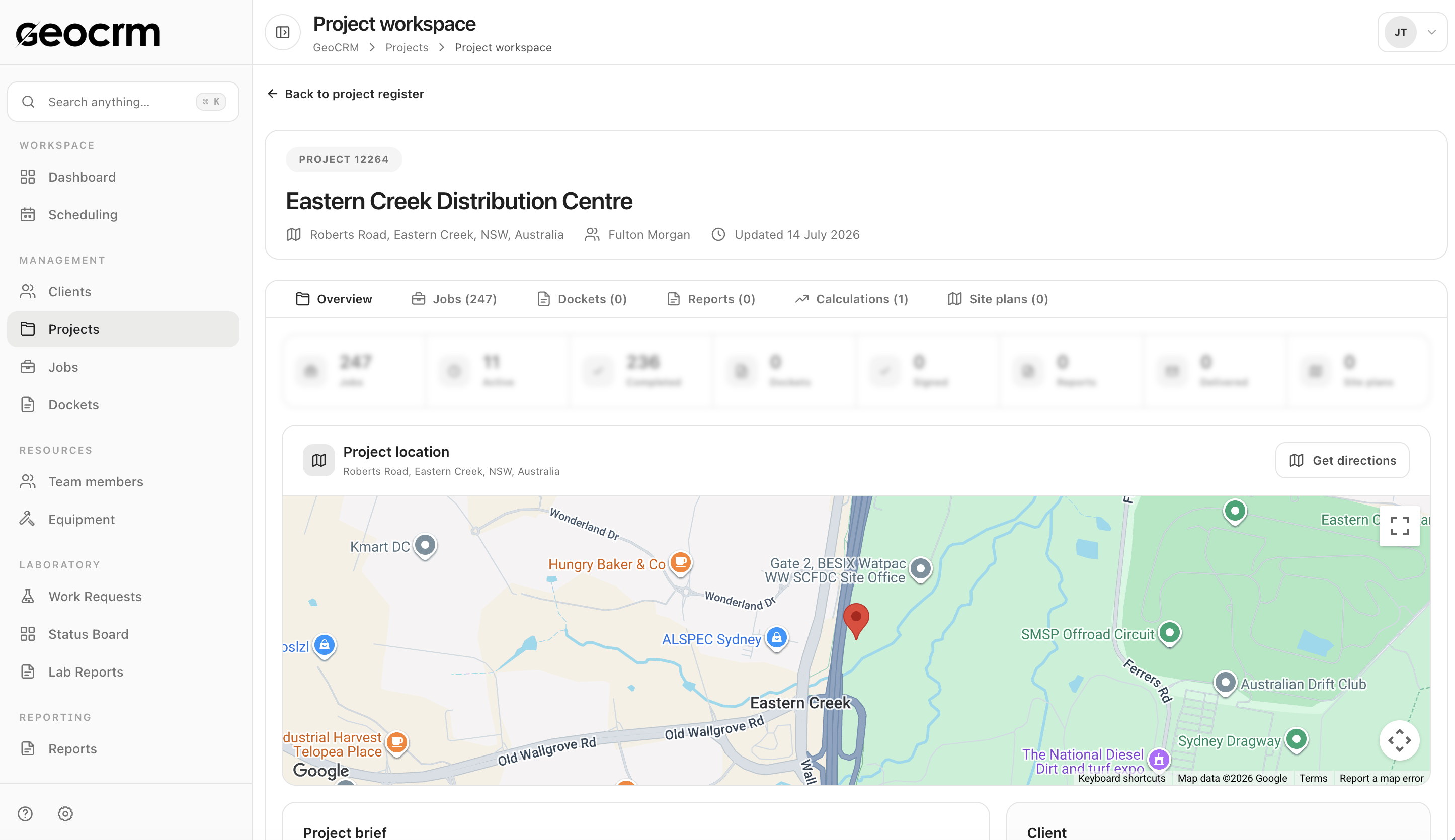
  • Project number and address
  • Client and map context
  • Jobs, dockets, reports and calculations
Book a project-workflow demo
Keep the site and every delivery record in one place.

Downstream scheduling

Create field jobs from current project context.

Select the project and field location, set timing and allocation, and review the dispatch summary before the job enters the schedule.
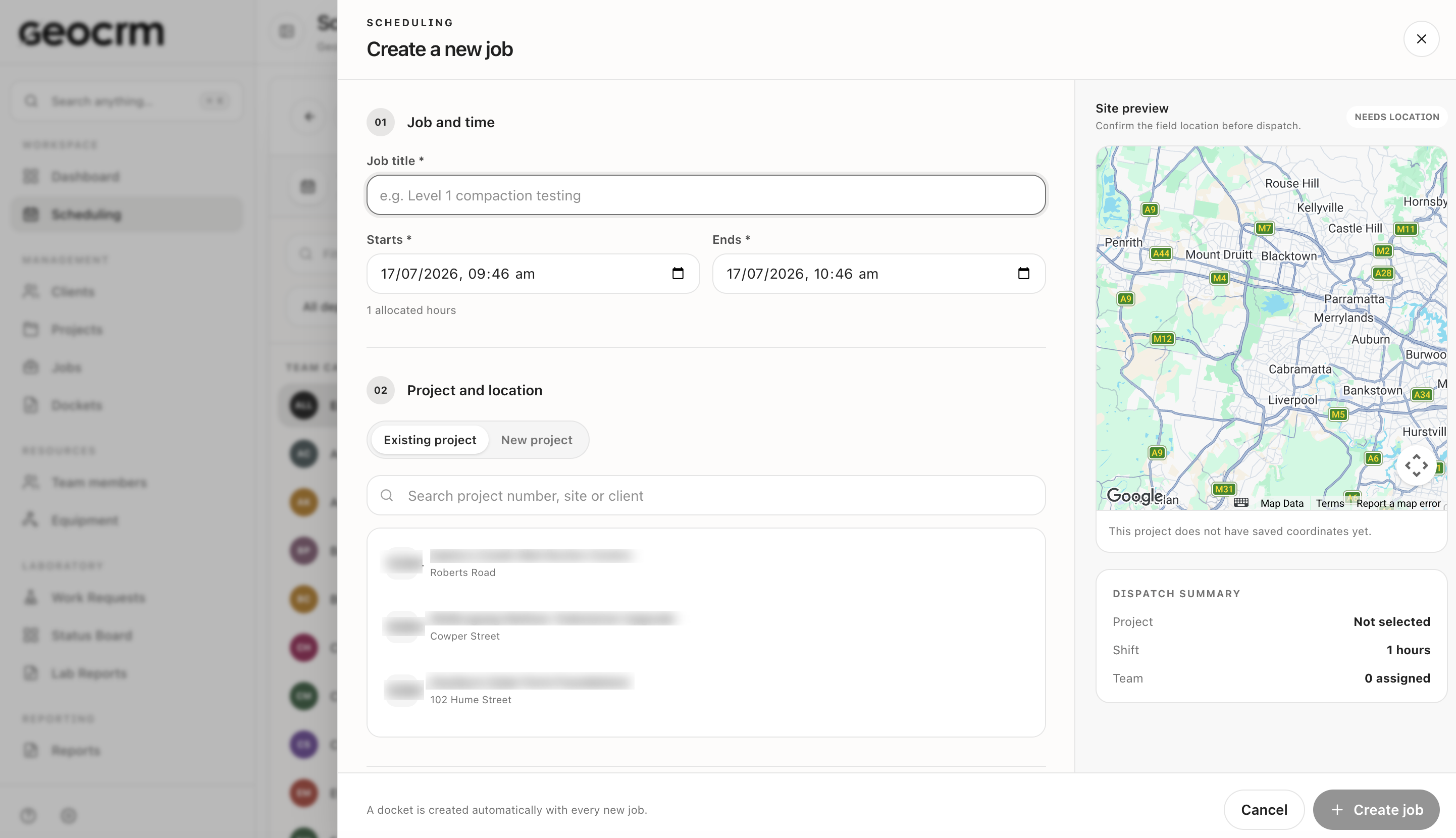
  • Existing or new project selection
  • Field location and timing
  • Team allocation and dispatch summary
Explore scheduling
Create field jobs from current project context.

What stays connected to the project The operational records needed to understand what happened and what comes next.

  • Project number, name and address
  • Client and contact context
  • Mapped project location
  • Scheduled and completed jobs
  • Digital field dockets
  • Geotechnical reports
  • Engineering calculations
  • Site plans

Geotechnical project management questions

What records can be linked to a GeoCRM project?

The project workspace connects jobs, dockets, reports, engineering calculations and site plans with the project’s location and client context.

Can users see the project location on a map?

Yes. The project workspace includes the recorded address and mapped project location.

Can a field job be created against an existing project?

Yes. Job creation can use an existing project and field location before timing, team allocation and dispatch details are confirmed.

Does GeoCRM replace every specialist engineering tool?

No. GeoCRM provides the operational project record and connects delivery workflows. Specialist analysis or modelling tools can remain part of the engineering process where required.

Use one active project

Bring a current project to the demo.

We will map its scheduling, field records, dockets, reports and supporting information inside GeoCRM.